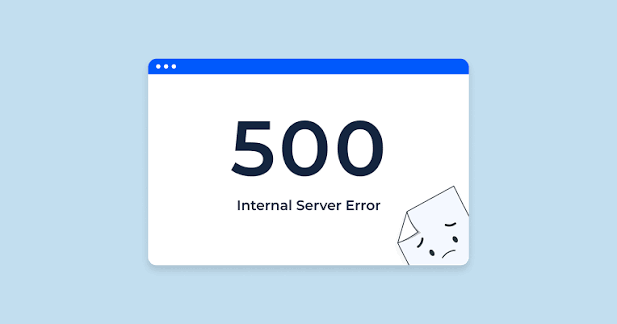
You log in to the GST portal to file a return, download a notice or complete a registration task, but instead of the expected page you see “500 Internal Server Error.” You refresh the screen, log in again and still get the same message. For an Indian taxpayer working close to a GST deadline, this can immediately create concern about whether the return, payment or application has been affected.
A 500 error generally indicates that the website’s server could not successfully complete the request. However, an old login session, cached browser data or the particular GST process being performed can also influence what you experience. The right approach is to protect any saved work, identify where the error occurs and troubleshoot systematically.
What Does GST Error Code 500 Mean?
An HTTP 500 error is a server-side error message.
In simple terms, your browser successfully contacted the website, but something prevented the server from completing the request normally.
That is different from an incorrect GST password, invalid captcha or OTP problem.
You might encounter a 500 error while opening a return, submitting an application, downloading information or moving between pages.
Because the message is generic, it does not tell you the exact underlying cause. Troubleshooting should therefore begin with a few basic checks rather than immediately changing GST information.
1. Do Not Keep Refreshing the Page Continuously
The first reaction to a 500 error is usually to press Refresh repeatedly.
Avoid doing this.
If you had just clicked Submit, File, Save or another important button, the request may have reached the GST system even though the next page failed to display properly.
Open the relevant return or application again and check its current status before repeating the action.
For example, if the error appeared immediately after submitting an application, confirm whether an ARN or another acknowledgement has already been generated.
This prevents unnecessary duplicate actions.
2. Log Out and Start a Fresh GST Session
GST users often keep the portal open while preparing accounts, checking invoices or waiting for information from colleagues.
A long-running session can become outdated.
If the 500 error appears after the portal has been open for a long time, save any available work and log out.
Close the browser completely, reopen it and sign in again.
Then navigate normally to the required service instead of trying to reopen an old page from browser history.
Also avoid using the same GST account across numerous tabs while troubleshooting. Keeping one active GST session makes it easier to identify whether the problem has actually been resolved.
3. Clear Browser Cache and Cookies
Your browser stores website files and cookies so frequently visited pages can load more efficiently.
Sometimes stored data can conflict with an updated version of a website.
If the GST error keeps appearing, clear the browser’s relevant cache and cookies, restart the browser and log in again.
This is a common troubleshooting step for GST portal problems.
Remember that clearing cookies may sign you out of websites, so save unfinished work before doing it.
If you do not want to clear everything immediately, private or incognito mode can provide a useful test.
4. Try an Updated Alternative Browser
If the error continues in your usual browser, open the GST portal using another updated browser.
Suppose the error appears repeatedly in Browser A but the same GST service works normally in Browser B.
That suggests the problem may involve the original browser’s stored data, extensions or configuration rather than a complete GST portal outage.
You should also check whether your normal browser is outdated.
Modern government portals depend on web technologies that can behave unpredictably in older browser versions.
5. Check Whether Only One GST Service Is Affected
Do not assume the entire GST website has stopped working because one page displays Error 500.
Try opening another GST service.
For example, if the dashboard works but a particular return page generates the error, the problem may be limited to that process.
Similarly, if you can log in and view ledgers but cannot open one application, record exactly which service is failing.
This information becomes valuable if you need technical support.
A report saying “Error 500 appears when opening a particular return for the relevant tax period” is much more useful than saying “GST is not working.”
6. Check Your Internet Connection, but Understand Its Limits
Because Error 500 normally indicates a server-side failure, changing your internet connection will not repair a genuine GST server problem.
However, it is still useful to rule out an unstable connection when pages are loading incompletely or behaving inconsistently.
Open a few other reliable websites and confirm that your connection is stable.
If necessary, reconnect to a trusted network and start a fresh GST session.
Avoid conducting GST work over unknown public Wi-Fi because GST accounts contain sensitive business and tax information.
7. Wait Before Trying Again
Sometimes patience is the most appropriate solution.
GST services can experience temporary processing problems, and immediately repeating the same request may produce the same result.
If the error occurs across multiple browsers and your internet connection is working normally, wait for some time before retrying.
This is particularly sensible when the error appears to affect a specific service rather than your account credentials.
Do not change return figures, registration details or other tax information merely because a server error appears.
Correct business information should not be altered to bypass a technical problem.
8. Save Evidence When the Error Persists
If the error continues, document it.
Take a screenshot showing the complete error message. Record the date, approximate time, GSTIN, tax period or application type and the action you were performing immediately before the error appeared.
Do not include passwords, OTPs or other authentication credentials in material you unnecessarily share.
Keeping evidence is especially important when the technical problem occurs close to a compliance deadline.
It also gives GST technical support much clearer information for investigating the issue.
9. Raise a GST Technical Support Ticket
If basic troubleshooting does not resolve the problem, use the GST grievance or self-service support process.
GST’s support system allows taxpayers to report portal-related problems and upload screenshots to explain the issue. A ticket reference can then be used to monitor the complaint.
Describe the problem precisely.
For example:
“500 Internal Server Error appears after selecting the relevant GSTR-1 filing period. Login and dashboard are working normally.”
This immediately tells support that your account is accessible and narrows the problem to a particular service.
Avoid raising several tickets for exactly the same unresolved error unless instructed to do so.
- Verify Your GST Task After the Portal Starts Working
Once Error 500 disappears, do not assume the interrupted activity was completed.
Return to the relevant GST service and verify its status.
For a return, check whether it has actually been filed. For an application, look for its acknowledgement or status. For a payment, verify the appropriate GST ledger and transaction information.
If the error appeared while submitting something, this final verification is particularly important.
A browser confirmation screen is useful, but the GST portal’s recorded status is what you should ultimately check.
Avoid Last-Minute GST Portal Work
Technical errors become far more stressful when they happen shortly before a filing deadline.
Where possible, prepare GST returns, payments and applications in advance.
Earlier action gives you time to troubleshoot browser problems, wait out temporary portal errors or raise a support ticket without immediately facing deadline pressure.
When a GST 500 Internal Server Error appears, start with the least disruptive steps: check the transaction status, begin a fresh session, clear browser data and try another updated browser. If the same problem persists, preserve the error details and escalate it through the proper GST support process rather than making random changes to your return.
FAQs
Q1. What does Error 500 mean on the GST portal?
A: Error 500 is generally an internal server error, meaning the website could not successfully process the request. It does not automatically mean there is something wrong with your GST registration or return.
Q2. Will clearing the browser cache fix GST Error 500?
A: It can help if stored browser data or an outdated session is contributing to the problem. However, clearing the cache cannot repair a genuine server-side outage.
Q3. Should I keep refreshing the GST page after getting Error 500?
A: No. If the error appeared after an important action such as submission, first check whether that action was already processed. Then start a fresh session or retry after some time.
Q4. What should I do if GST Error 500 continues for several hours?
A: Record the error message, date, time and affected GST service, and keep a screenshot. If basic browser troubleshooting and retrying later do not work, report the issue through the GST technical support or grievance process.